
NFC Business Cards: How They Work (2026 Guide)

Rebecca Vega
April 20, 2026
10 min read
In this article
Every time you tap your phone to pay at a coffee shop, you are using NFC. The same technology is inside a growing category of business cards that let you share your contact info with a single tap. No paper. No app. No typing.
This guide covers how NFC business cards work, what the technology actually does, which phones support it, and what to look for when you decide to buy one.
---
What Is NFC?
NFC stands for Near Field Communication. It is a short-range wireless technology that allows two devices to exchange data when they are held close together, typically within 4 centimeters.
You already use NFC constantly:
- Tap-to-pay at a store terminal (Apple Pay, Google Pay, contactless credit cards)
- Hotel key cards that unlock your room without swiping
- Transit cards that work by tapping the reader
- Airtags and Tile trackers that can read a tag with a tap
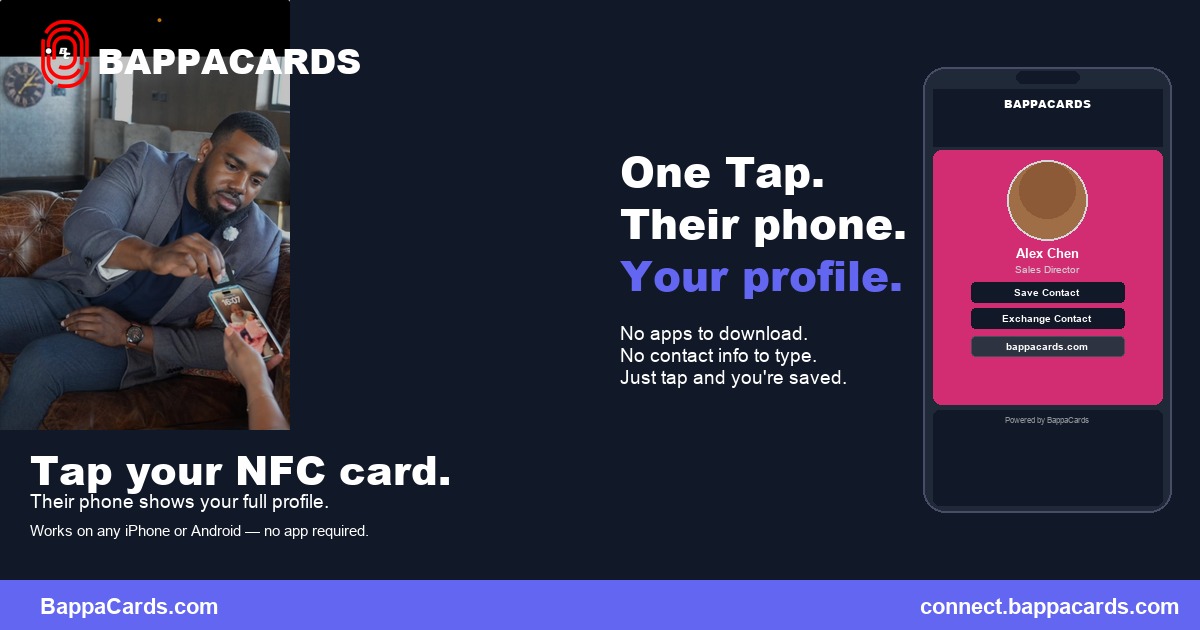
The same principle powers NFC business cards. When the chip inside your card comes close to a smartphone, the phone reads the chip and takes an action. In most cases, that action is opening a URL in the phone's browser.
---
What Is an NFC Business Card?
An NFC business card is a physical card, usually standard credit-card size, that contains a tiny NFC chip embedded inside the material. The chip stores a small amount of data, almost always a URL pointing to your digital profile.
When someone holds their smartphone near the card, the phone reads that URL and opens your profile in the browser. No app download required. No action needed on the recipient's end beyond holding their phone near the card.
Your digital profile can include:
- Name, title, and company
- Phone number, email, and website
- Social media links (LinkedIn, Instagram, Twitter/X)
- A calendar booking link
- A video introduction
- Active listings, portfolio, or product links
That profile is live and editable. Update it once, and every card you have ever shared reflects the new information automatically.
---
How the Technology Works: Step by Step
The chip
The NFC chip inside a business card is called an NDEF tag (NFC Data Exchange Format). It is about the size of a fingernail and contains a small antenna coil, usually made from copper or aluminum wire wound into a spiral. The chip has no battery. It is completely passive.
When an NFC-enabled phone comes within range, the phone's NFC reader generates a small electromagnetic field. The antenna coil inside the chip picks up that field, uses it to power the chip briefly, and transmits the stored data back to the phone.
The whole transaction takes less than one second.
The data
Most NFC business card chips store a single URL. When the phone reads the chip, it parses the URL and opens it in the default browser. Some chips can store vCard data (a standard contact format) directly, but the URL approach is more flexible because it lets you update the destination without replacing the chip.
The profile page
The URL points to your hosted digital profile. On a platform like BappaCards, this is a mobile-optimized page that loads quickly, displays your photo and contact info, and gives the recipient one-tap options to save your contact, call you, email you, or connect on LinkedIn.
The profile is what makes the card valuable. The chip is just the trigger.
---
Which Phones Support NFC Business Cards?
This is the most common question people ask before buying their first NFC card. The answer is simple: nearly every smartphone sold in the last five years supports NFC.
iPhone: Apple added NFC hardware starting with the iPhone 6, but NFC reading from the background (meaning the phone can read NFC tags without opening an app first) came with iOS 14 on iPhone 7 and newer. In 2026, virtually every iPhone in active use supports this seamlessly. The phone reads the chip and opens the URL automatically.
Android: Android phones have had NFC support for even longer. Samsung, Google Pixel, OnePlus, Motorola, and most other major manufacturers include NFC as a standard feature. For most Android devices, NFC is enabled by default and reads tags with no setup required.
Older phones: Very old devices (pre-2015) may lack NFC hardware, and a small number of budget Android phones skip NFC to cut costs. In practice, compatibility is a non-issue in any modern networking context. The person you hand your card to almost certainly has a phone that reads it.
QR code fallback solves the edge cases. Most NFC business card platforms also give you a QR code that points to the same profile, so if NFC does not work for any reason, a camera scan covers it.
---
NFC vs. Other Digital Card Methods
NFC vs. QR Code
NFC is faster and requires nothing from the recipient. Tap the card to their phone and the profile appears. QR codes require the recipient to open their camera, aim it at the code, and tap the link. Both end up at the same place; the experience is just different.
NFC wins for in-person one-on-one exchanges. QR codes win for presentations, printed materials, and situations where you want multiple people to access your profile simultaneously. Read the full NFC vs. QR comparison if you want the breakdown in more detail.
NFC vs. Shareable Link
A shareable link goes in your email signature, LinkedIn bio, or a text message. It is not a card. It is a URL. Useful for remote contact sharing, but it does not replace the physical in-person exchange that NFC enables.
NFC vs. Paper
Paper is static and disposable. NFC is live and updateable. The detailed comparison of NFC vs. paper cards covers the cost and sustainability math. The short version: NFC costs more upfront and eliminates ongoing reprint costs entirely.
---
Types of NFC Business Cards
PVC cards
Standard PVC NFC cards look and feel like a credit card. The chip is embedded inside the plastic. They are durable, waterproof, and inexpensive relative to metal options. This is the entry-level format for most platforms.
Metal cards
Metal NFC cards use aluminum or stainless steel and contain a specialized antenna design to accommodate the conductive material. They are heavier, feel premium in hand, and make a stronger first impression than plastic.
BappaCards offers metal card options starting at $70. For professionals in industries where presentation matters, the tactile difference is worth it.
Silicone wristbands and accessories
Some platforms offer NFC chips embedded in wristbands, stickers, or phone mounts. These are useful for events and trade shows where you want to share your info without carrying a card. The chip works the same way; it is just in a different form factor.
---
What to Look for When Buying an NFC Business Card
Profile quality matters more than the card
The chip is a commodity. What differentiates platforms is the profile experience: how fast it loads, how customizable it is, whether it includes analytics, and whether it supports features like video backgrounds, contact save, and link tracking.
Evaluate the platform's profile before you evaluate the card.
Analytics
The best NFC card platforms show you who tapped your card and when. That data is actionable: if someone from a networking event taps your card three times over two days, that is a warm lead. Without analytics, NFC is just a fancy paper card.
Update flexibility
Your profile should be editable any time without affecting the chip. If you change your email address and have to buy a new card, the platform has a design problem. Any serious NFC card platform separates the chip URL from the profile content so you can update one without touching the other.
Team features
If you are evaluating NFC cards for a sales team, look for centralized management: shared templates, brand controls, and the ability to update or deactivate cards from an admin dashboard.
BappaCards offers team management through Bappa Connect, with enterprise Bappa Teams in development.
---
How BappaCards Uses NFC
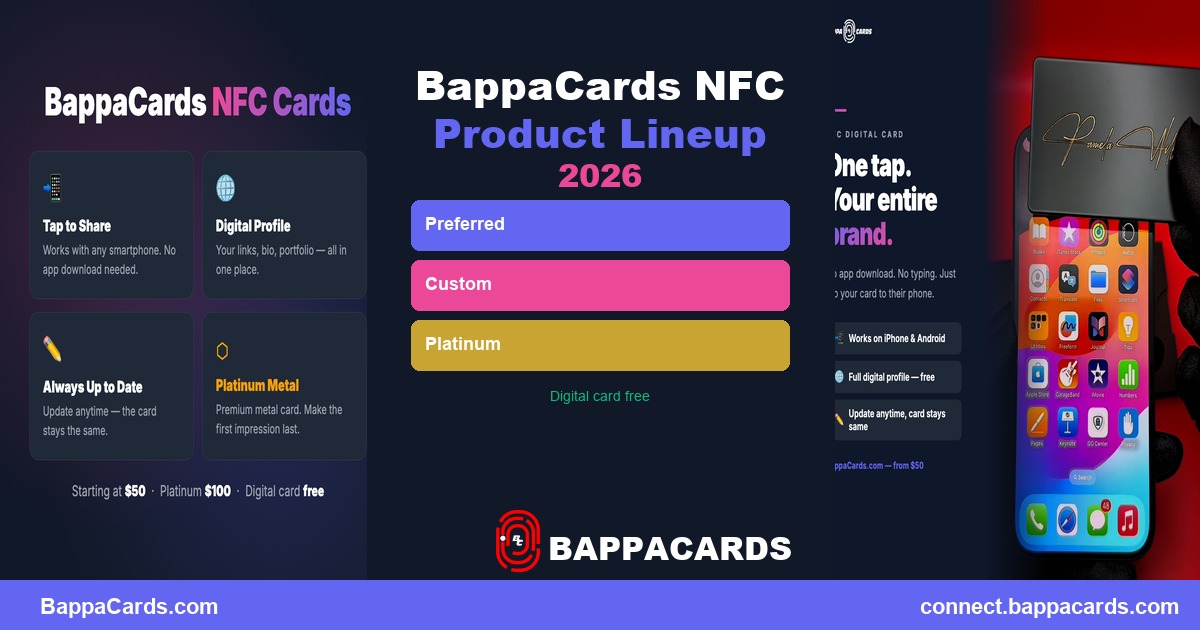
BappaCards builds NFC-enabled physical cards that link to a hosted digital profile. The chip in every BappaCard points to your unique profile URL. When someone taps the card, they see your photo, contact info, and links in a clean mobile layout.
What sets BappaCards apart from basic NFC cards:
Bappa Connect integration. When someone taps your card, they can fill out a contact capture form that sends their info directly to you. You are not just hoping they save your number; you are capturing their details proactively. This is particularly useful for real estate agents, recruiters, and anyone who collects leads at events. See how it works in the digital business cards for real estate playbook.
Profile analytics. You see who viewed your profile and which links they clicked. Click analytics help you understand which parts of your profile actually drive action.
Relationship intelligence. Bappa Connect goes beyond the card tap. It researches your contacts, scores them against your goals (0 to 100), and generates personalized outreach suggestions.
Connect is free with every Bappa card and available now at connect.bappacards.com. Free plan: 10 contacts, 10 AI research runs a month. Premium Plus ($12/month) raises those limits to 2,500 contacts and 600 research runs.
Bappa Teams, which brings centralized card management to organizations, is currently in development with waitlist sign-ups open at bappacards.com.
---
Common Questions About NFC Business Cards
Does the chip need charging or batteries?
No. NFC chips are completely passive. They draw the tiny amount of power they need from the phone's NFC reader during the brief moment of contact. The chip will last indefinitely.
Will it work through a phone case?
In almost every case, yes. NFC signals pass through standard silicone, plastic, and thin leather cases. Very thick cases, metal cases, or cases designed for magnetic car mounts can sometimes block or weaken the signal.
Is it secure?
The chip transmits a URL, nothing more. It does not access the recipient's data, install software, or run code. The interaction is equivalent to clicking a link.
What if someone does not have an NFC phone?
Most NFC business card platforms, including BappaCards, include a QR code option that points to the same profile. If the tap does not work for any reason, showing the QR code handles it.
Can multiple people tap the same card?
Yes. The chip stores a URL that any phone can read. You can tap the same card to a hundred phones and each one gets the same profile. No degradation, no reuse limit.
What happens if I lose my card?
You can deactivate or redirect the profile URL from your account. Order a replacement and it links to the same profile automatically.
Can I use NFC without the physical card?
Yes. Most NFC card platforms let you add your digital profile to Apple Wallet, which allows you to share it by tapping your phone directly. No physical card required.
---
Who Should Get an NFC Business Card?
NFC business cards make the most sense for professionals who network regularly in person:
Sales professionals: The tap is faster than any other contact exchange method. Analytics on who viewed your profile after an event help you prioritize follow-up.
Real estate agents: Open houses, showing appointments, community events. High-volume contact exchange is where NFC cards outperform everything else. The real estate digital card playbook covers the specific workflow.
Recruiters: Career fairs and networking events mean meeting dozens of candidates and hiring managers in a day. A tap-and-go card makes you easier to remember and easier to reach.
Founders and executives: The card reflects the brand. A metal NFC card at a pitch meeting reads differently than handing over cardstock, and the profile can include your pitch deck link, website, and calendar.
Conference attendees: High-volume networking situations where analytics tell you who was actually interested enough to check your profile twice. See the conference networking guide.
---
How to Set Up Your First NFC Business Card
The setup process takes about 10 minutes:
- Create your profile. Go to bappacards.com and build your digital profile: name, title, photo, links.
- Order your card. Choose your card format. Cards start at $70 and come pre-programmed to your profile URL.
- Verify the tap. When your card arrives, tap it to your own phone to confirm the chip reads your profile correctly.
- Share. Tap your card to any NFC-enabled phone. Your profile opens in their browser.
---
Wrapping Up
NFC business cards use the same chip technology behind tap-to-pay and hotel key cards. The chip stores a URL. When someone holds their phone near the card, the phone opens that URL in the browser. No app, no typing, no friction.
The technology itself is simple. What matters is the profile behind the chip and whether the platform gives you the analytics, update flexibility, and relationship features to make that tap worth something.
If you are ready to try it, get your BappaCard here and see how the exchange changes in practice.
---
Related reading:
- NFC vs. QR Code Business Cards: Which Works Better?
- NFC Business Cards vs. Paper: An Honest Comparison
- The 5 Best NFC Business Cards in 2026
- What Is an NFC Business Card? Beginner's Guide
- Digital Business Cards: The Complete 2026 Guide
Rebecca Vega
Senior BDR at Bappa Cards
Rebecca helps professionals and teams adopt digital networking tools that create real business results. She writes about NFC technology, digital business cards, and practical networking strategies.
Ready to network smarter?
BappaCards gives you NFC business cards, AI contact research, and relationship tools in one subscription.
See Plans and PricingRelated Articles
Ready to go digital?
Create your free BappaCards profile and start making stronger connections today.
Get Started Free